Cross-platform support
Made for the desktops people actually use.
Linux
x86_64 and arm64 · AppImage · RPM · DEB
What it does
The useful parts, already inside.
Swap one source face into a whole folder of photos, offline, and leave everything else in each picture alone.
Whole folders
Feed it single photos or a folder tree; failures are reported at the end instead of stopping the run.
Four quality modes
Careful is the default, with adaptive eye detail; Best adds full-face restoration; Balanced and Fast are drafts.
Everything else stays
Pose, expression, body, skin, hair and image size are untouched. PNG output is lossless outside the face.
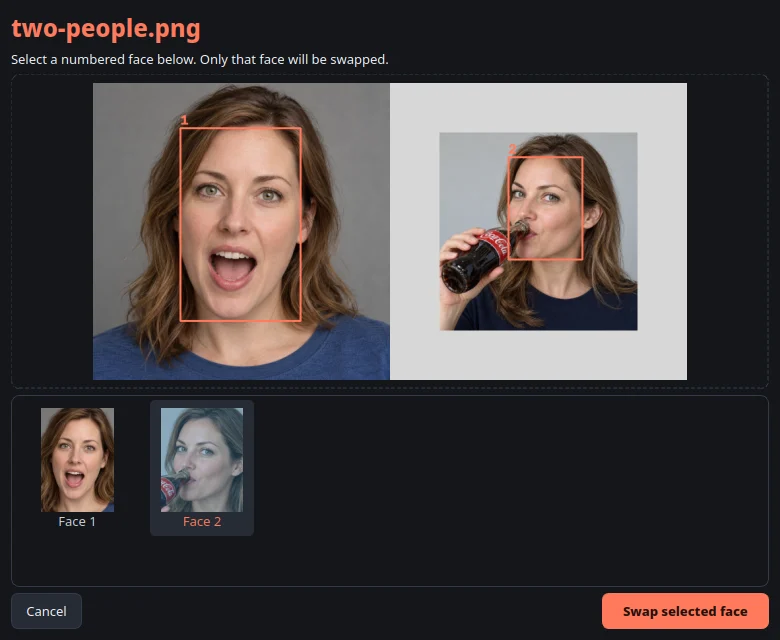
Choose the face
When a photo has several people, pick the one to swap, skip the photo, or stop the batch.
Expression protection
Open mouths, teeth and objects crossing the face are kept from the destination photo.
Only what changed
Running the same batch again processes only new or changed photos.
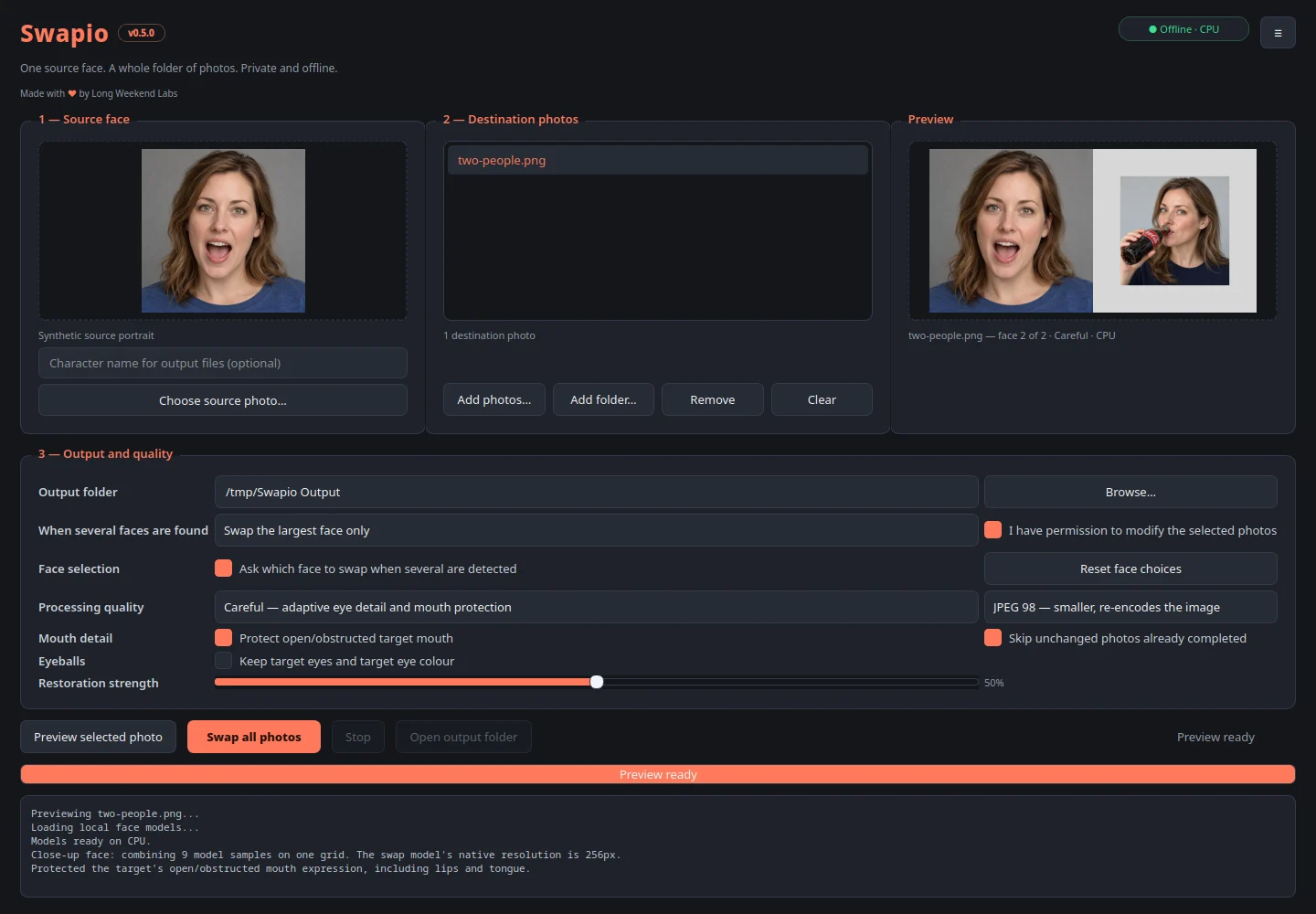
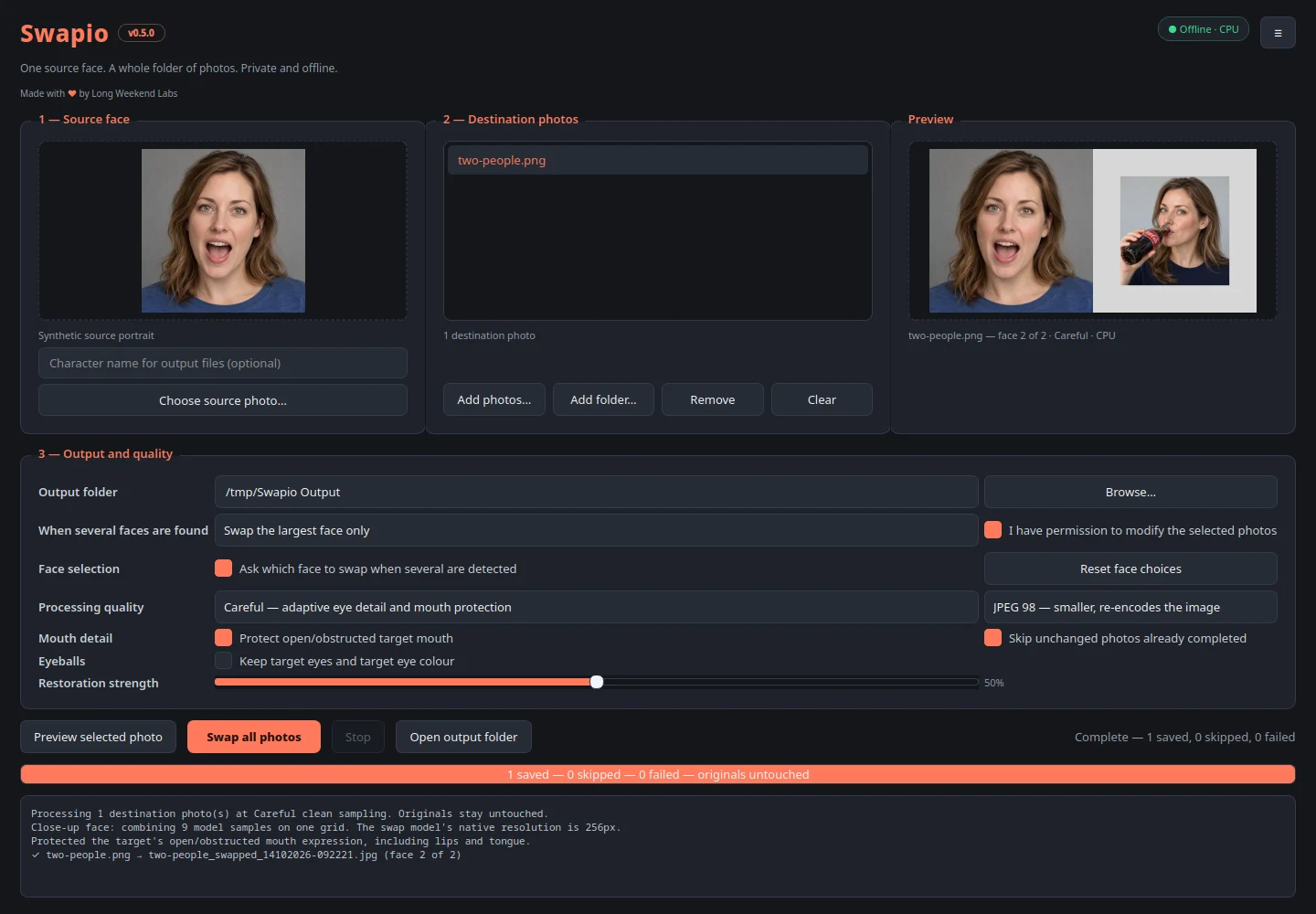
Inside the app
One product, more than one state.
The workflow
From opening the app to getting the job done.
-
Source face
Choose one portrait of the face to use.
-
Destination photos
Add photos or a whole folder.
-
Preview
Check one result and pick the quality mode.
-
Swap all
Run the batch and open the output folder.
Why this app
Built for a gap, not a pitch deck.
Face swapping usually means uploading photos to a service one at a time. Swapio does the whole folder on your own machine.
Privacy
Your work stays yours.
Photos never leave your computer. After the one-time model download, Swapio does not use the network.
Download
Offline batch face swapping for still photos.
One face in, a whole folder out, with nothing sent anywhere. Only alter photos you own or have permission to modify.
Checking the latest release...Linux
x86_64 and arm64 · AppImage · RPM · DEB