In development
Parallax Studio
Give still artwork just enough life.
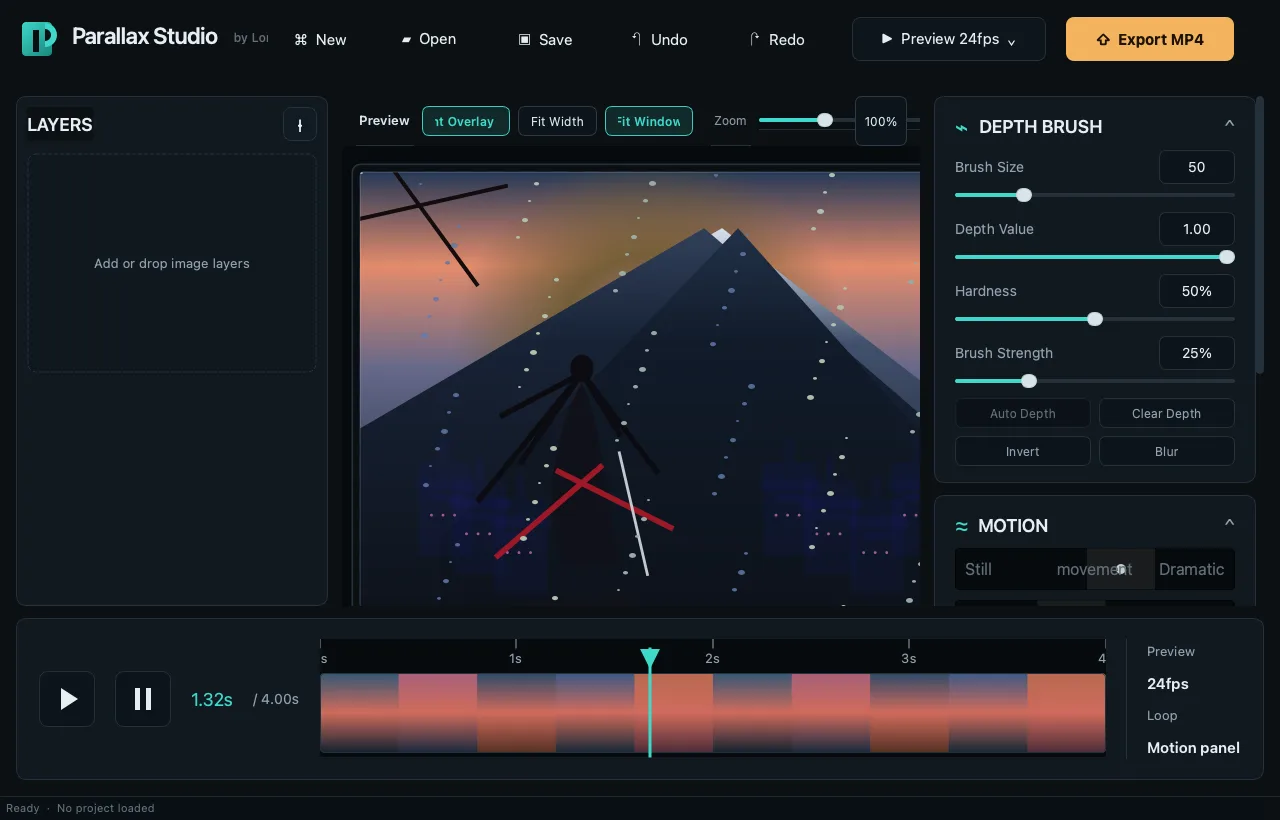
Arrange layers, paint depth, preview the motion live, and export a clean MP4 or GIF from one focused workspace.
Cross-platform support
Made for the desktops people actually use.
macOS
Apple Silicon desktop build
Linux
x64 desktop build
What it does
The useful parts, already inside.
Turn layered illustrations into looping 2.5D parallax animations without moving into a full compositing suite.
Layer-based workspace
Import PNG, JPG, JPEG, or WebP artwork and arrange the scene in visual depth order.
Paint depth directly
Use brush size, hardness, opacity, and depth controls without leaving the app.
Live motion preview
Watch the parallax animation update while you tune the movement.
Direct canvas transforms
Move and scale layers on the canvas instead of editing coordinates in a separate panel.
Reusable projects
Save layer order, transforms, motion settings, and compressed depth maps in a .parlx file.
MP4 and GIF export
Render shareable loops without rebuilding the scene in another application.
The workflow
From opening the app to getting the job done.
-
Import layers
Bring in the separated artwork that makes up the scene.
-
Set the depth
Arrange layers and paint depth where a flat cutout needs more shape.
-
Tune the motion
Preview the loop and adjust the camera movement until it feels natural.
-
Save or export
Keep the editable .parlx project and render the final MP4 or GIF.
Why this app
Built for a gap, not a pitch deck.
Not every illustration needs full animation. Sometimes depth, camera movement, and a convincing loop are enough to make a scene feel alive.
Privacy
Your work stays yours.
Artwork and project files stay on your computer. No Long Weekend Labs cloud service is required.
Availability
Give still artwork just enough life.
Bring the layers. Parallax Studio handles the depth, motion, preview, project file, and export.
macOS
Apple Silicon desktop build
Linux
x64 desktop build